The right rental depends on more than the Canon name or an advertised pages-per-minute figure. Compare your monthly and peak-day workload, document sizes, shared-use needs, running charges and service terms before choosing a printer or multifunction copier for your Delhi office.
Key takeaways
- Choose a multifunction copier for shared queues, copying and frequent scanning.
- Choose a printer for low-volume, mainly desk-based A4 documents.
- Size the machine for peak demand, not your monthly average.
- Confirm installation, network setup, maintenance and return terms in writing.
Choose a Copier or Printer from Your Actual Workload
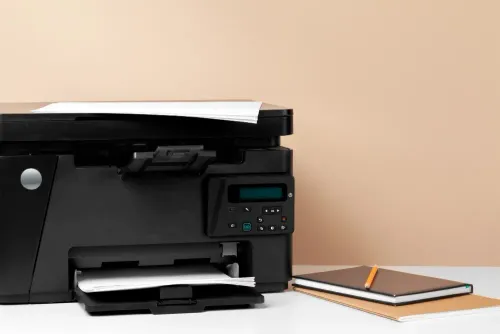
Choose a Canon multifunction photocopier for high shared volumes, frequent copying and scanning; choose a Canon printer for low-volume, mainly desk-based A4 printing. The right Canon photocopy machine rental or printer rental in Delhi depends on queue time, not just the monthly average.
| Option | Best fit | What to check |
|---|---|---|
| Canon multifunction photocopier | Departments sharing heavy copy, print and scan work | Automatic document feeder, duplex copying, multiple paper trays, network scanning and A3 support |
| Canon printer-only machine | Individual desks, low-volume A4 printing and limited floor space | Print speed, duplex printing, wired or wireless networking, driver compatibility and toner terms |
| Separate copier and printer | A critical office where one device failure would stop work | Whether the second device costs less than lost time during month-end or examination periods |
A copier is the stronger choice when staff copy two-sided originals, process large batches or need scan-to-email, scan-to-folder, fax or finishing functions. Confirm that “photocopier” means a multifunction device; some quotations describe a printer-only unit loosely.
A printer is simpler when documents are mostly created digitally, users print occasionally and no one needs a platen scanner or document feeder. Do not select an A4 unit for notices, booklets or other A3 work: software cannot add A3 capability.
Compare the photocopier versus printer rental in Delhi using your busiest week’s pages, longest queue and required document sizes, then accept the higher monthly cost when it protects essential deadlines.
Match the Machine’s Functions and Specifications to Your Documents
Compare paper size, copy, print and scan functions before you request a quotation. An A4 printer cannot become A3-capable through a driver or software, so write “A3” into the specification if you produce notices, booklets or A3 originals.
| Feature | Printer-only rental | Canon multifunction rental |
|---|---|---|
| Paper handling | Usually A4 output; check tray count and media weight | A3 or A4 output, multiple trays, bypass tray and duplex support |
| Document handling | Prints files sent from a computer | Platen glass, automatic document feeder, copying and network scanning |
| Finishing | Usually no stapling or sorting | Check collating, stapling, booklet-making and hole-punching |
| Connectivity | USB or network printing | Network print, scan-to-email, scan-to-folder and optional fax |
| Security | Check secure print and user authentication | Also check encrypted communication, storage encryption or overwrite, job-log control and administrator-password protection |
For canon photocopier rental in delhi, ask for the exact model, rated print speed, supported paper sizes, monthly duty cycle and colour or monochrome output. Confirm whether the quotation includes the document feeder, duplex unit, extra trays and finishing accessories rather than treating “copier” as proof that they are fitted.
Request the service terms with the machine specification: response-time target, coverage hours, preventive-maintenance frequency, replacement policy, and inclusion of labour, drums, fuser units and other consumables. Also ask how stored jobs, address books and internal data will be deleted when the rental ends.
Size the Device for Peak Demand, Not Just Average Pages
A machine rated for your monthly average can still fail at month-end. Size it from the busiest day and busiest hour, then compare the extra rental cost with queue time, lost staff hours and the risk of one shared device going down.
1. Record four weeks of actual output: printed pages, copied pages, scanned pages, colour pages, A3 pages and duplex jobs. Mark the busiest day, the busiest hour and any examination, payroll or document-processing surge.
2. Calculate three figures: peak-day pages, peak-hour pages and required monthly pages. Divide peak-hour pages by the machine’s stated pages-per-minute speed, then add time for warm-up, paper loading, scanning, duplex handling and user interruptions. A machine that appears fast on paper can still leave a queue.
3. Add headroom to the peak-hour result. Choose a faster Canon MFD, split the workload between two devices or keep a basic printer for overflow when one failure would stop the office. Do not use the monthly duty-cycle figure as a promise of continuous output.
4. Match the quotation to the largest job. If you produce A3 notices, booklets or two-sided originals, require A3 capability, an automatic document feeder and duplex handling in writing. Software cannot turn an A4 machine into an A3 device.
5. Test the proposed unit with your paper, representative files, A3 originals and colour pages. Check output speed, misfeeds, alignment, duplex registration, scan quality and finishing before acceptance.
6. Record the opening meter, reading method, test-page treatment and audit rights in the contract. Also record the service response target, replacement process and return condition so pre-installation pages, downtime and missing accessories do not become disputes.
Calculate the Full Rental Cost and Contract Exposure
A low monthly rent can hide a costly minimum page commitment. Calculate the Canon rental as:
Monthly total = fixed rent + minimum-page charge + extra mono pages + extra colour pages + GST + one-off costs spread across the contract.
Ask the supplier to quote these charges separately:
- Fixed monthly rent for the exact model and included functions
- Minimum monthly pages, with the charge due even when you print less
- Per-page rates for black-and-white and colour output
- Toner, staples, drum units, paper, delivery, installation and training
- GST, relocation, meter-reading or service-call charges
Test the calculation against your actual peak month, not just your average. A colour page can trigger a colour charge because of a logo, email signature or small graphic, so check whether your applications default to colour.
The contract creates a second cost. Check the page-count definition: does one duplex sheet count as one sheet or two impressions? Confirm the overage rate, billing meter, payment date, renewal period, notice deadline, repair response time, downtime remedy and early-termination formula. A long lock-in can cost more than a slightly higher monthly rate.
For an office copier rental in Delhi, also record who pays for relocation, network changes and consumables. Require written confirmation that stored documents, address books, job logs and internal storage will be deleted or securely erased when the Canon machine leaves. Compare the full monthly figure with a Canon printer rental before signing.
Make Installation, Network Access and Handover Part of the Deal
A Canon machine is not ready for daily use when it merely reaches reception. Before delivery, put installation, network configuration and acceptance testing in the rental quotation, including who pays if a promised connection or function is unavailable.
1. Request a site survey before delivery. Confirm the machine’s footprint, space to open trays and doors, dedicated power socket, lift or stair access, loading route and network point. An A3 floor-standing MFD may need more clearance and handling work than an A4 printer.
2. Specify the connection in writing: wired Ethernet or supported Wi-Fi, driver support for your Windows or macOS versions, and the office’s print-server method. Confirm who makes switch, firewall or IP changes.
3. Test scan-to-email and scan-to-folder before handover. Name the person supplying SMTP credentials, folder permissions and address-book entries, then verify a real scan reaches its destination.
4. Record the opening meter reading and test A4, A3, duplex and multi-page jobs. Obtain the service contact, response process, toner responsibility and replacement procedure.
5. Ask whether the model supports secure print, user authentication, encrypted communication, storage encryption or overwrite, administrator-password control and documented deletion of jobs, logs and address-book data when the rental ends.
Amage Infotech Systems can be asked to include these acceptance points in a Canon copier hire in Delhi quotation rather than leaving them as verbal promises. Sign the handover only after the named users can print, copy and scan without supplier assistance.
Related products
 | Printer Rental Services Canon Photocopy Machine for Rental Rental Canon Photocopy Machines at Amage Infotech Systems, Raja Garden, New Delhi At Amage Infotech Systems, located in the heart of Raja Garden, New... |
 | Printer Rental Services Canon Photocopy Machine for Rental services Rental Canon Photocopy Machines at Amage Infotech Systems, Raja Garden, New Delhi At Amage Infotech Systems, located in the heart of Raja Garden, New... |
Frequently asked questions
Should a Delhi office rent a Canon photocopier or printer?
Choose a Canon multifunction photocopier for high shared volumes, frequent copying and scanning. Choose a Canon printer for low-volume, mainly desk-based A4 printing.
How should you size a rented office copier or printer?
Use your busiest day and busiest month, then check the recommended monthly duty cycle, print speed and paper capacity against that demand.
What functions should you compare before renting a Canon machine?
Match the device to your documents by checking A4 or A3 support, colour or monochrome output, automatic duplex printing, scanning, copying, finishing and network connectivity.
What costs and contract terms should you check in a Canon rental?
Compare the monthly rental, page charges, toner, paper, delivery, installation, taxes, maintenance, repair response times, minimum commitment, damage liability and return conditions.
Related product
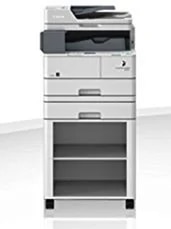 | Printer Rental Services Canon Multifunction Printer Hire On RENTAL Looking for an all-in-one office printing solution on rent? Our Canon Multifunction Printer Hire on Rental service provides high-performance print,... View product → |
Keywords