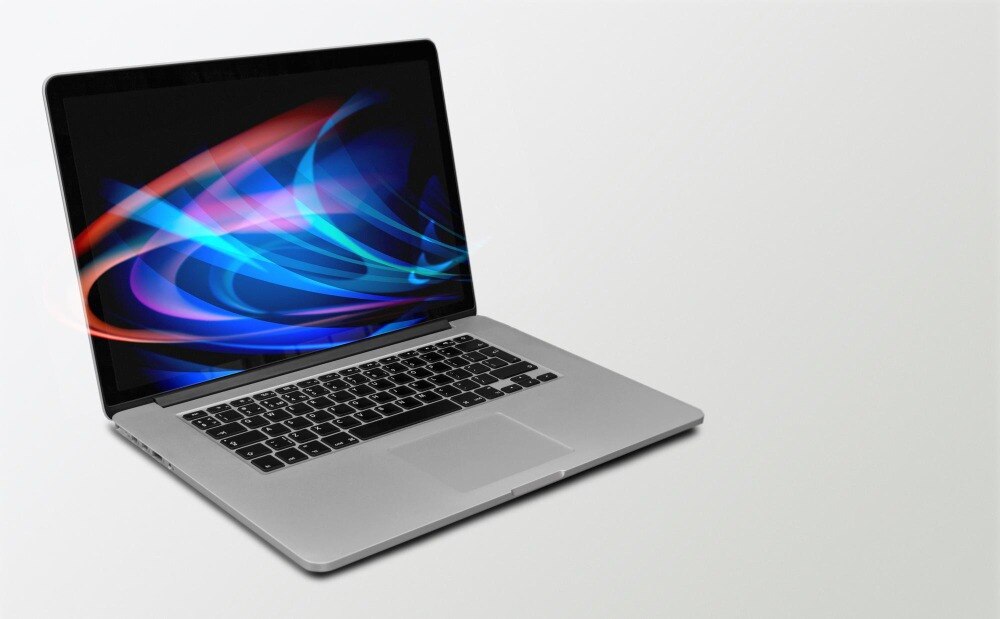
“Intel Core i7” does not identify one level of performance: an i7-1255U, i7-1360P and i7-13700H suit different workloads, battery expectations and prices. By checking the processor model, RAM, SSD, display, battery, graphics and rental terms, you can decide whether an i7 Lenovo laptop fits your course or whether an i5, Ryzen laptop or college computer is the better choice.
Key takeaways
- Check the full Intel model, generation, RAM, SSD and processor suffix.
- Choose 16GB RAM and a 512GB SSD for demanding student workloads.
- Compare rental terms, battery health, warranty support and return conditions.
- Test ports, keyboard, display, charger and performance before accepting the laptop.
Does “Core i7” guarantee enough performance for student work?
Core i7 alone does not guarantee enough performance for student work. The complete processor model matters: a 10th-generation i7 can be significantly slower than a 13th-generation model, while the suffix shows how the chip is designed to operate.
Ask for the exact model, such as Intel Core i7-1255U or i7-13700H, plus the Lenovo series and model or MTM number.
| Suffix | Practical meaning | Suitable student use |
|---|---|---|
| U | Low-power mobile processor with lower heat and power use | Documents, browsing, online classes, coding and office applications |
| P | Thin-and-light performance processor | Heavy multitasking, programming and moderate creative work |
| H or HX | Higher-performance processor requiring stronger cooling and a larger charger | Video editing, sustained compiling, CAD, engineering software and virtual machines |
For an Intel i7 Lenovo laptop rental for students in Delhi, match the chip to the application rather than paying for the label.
Web research with many tabs, Microsoft Office, Google Workspace, Visual Studio Code, video calls and streaming usually run well on a recent Core i5 or i7 with 16 GB RAM and an SSD; Windows 11 does not require an i7.
Adobe Premiere Pro, Android Studio projects, virtual machines and engineering software benefit more from additional cores, sustained cooling and an H-series processor.
A high-performance i7 can become a poor choice if its battery is weak, it is heavy to carry, or the supplied charger is under-rated. Check the exact Lenovo specification sheet for charger wattage before accepting it.
Which specifications should you check before renting a Lenovo i7 laptop?
Verify the exact Lenovo series, MTM number and processor model before paying for a Lenovo i7 laptop on rent in Delhi. ThinkPad, IdeaPad, Yoga and Legion models differ in weight, keyboard durability, cooling, ports, display and repairability. Ask whether the chip is an i7-1255U or i7-13700H, not simply “Core i7.”
| Component | Minimum to verify | Why it matters |
|---|---|---|
| RAM | 16 GB | 8 GB fills quickly with browser tabs, video calls, coding tools and PDFs |
| Storage | 512 GB NVMe SSD | 256 GB leaves little room for applications, projects and updates |
| Screen | 14 or 15.6 inches, Full HD 1920×1080, preferably IPS | A low-resolution or dim panel strains your eyes |
| Battery | Current full-charge capacity and expected runtime | Advertised capacity does not reveal an ageing battery |
| Portability | Actual weight, hinge condition and power-adapter weight | A heavy laptop and charger undermine daily campus use |
Run Windows powercfg /batteryreport and compare design capacity with current full-charge capacity. Ask for the original, correctly rated charger; check its wattage in the Lenovo PSREF document, because an undersized USB-C adapter can drain the battery or reduce performance during demanding work.
Before accepting it, confirm a working webcam, microphone, Wi-Fi 5 or Wi-Fi 6, Bluetooth, two USB-A ports, USB-C, HDMI and the ports your course requires. Record the serial number, screen marks, keyboard, trackpad, ports, charger and battery condition in signed photographs.
How does an i7 Lenovo compare with an i5, Ryzen laptop, Dell laptop or desktop?
A recent Core i5 or Ryzen 5 laptop with 16 GB RAM and a 512 GB SSD often gives better value than an older i7 for browsing, Office, Google Workspace, video calls, PDFs and Visual Studio Code.
The i7 premium earns its cost when sustained compiling, virtual machines, Android Studio, video editing or engineering software uses extra cores and cooling.
| Option | Better value for | Check before choosing |
|---|---|---|
| Core i5 Lenovo | Web research, office work, online classes and ordinary coding | Compare generation, core count, 16 GB RAM and SSD; an old i5 can lose to a newer one |
| Ryzen 5 or Ryzen 7 | Multitasking, coding and light creative work | Compare the exact Ryzen model, integrated graphics and battery performance, not the Ryzen label |
| Core i7 Lenovo | Large projects, multiple virtual machines, Premiere Pro or demanding CAD | Confirm the generation and suffix: U is low-power, while H and HX target higher performance; 8 GB RAM undermines the choice |
| Dell laptop | Any of these workloads when its configuration is stronger or cheaper | Dell identifies the manufacturer, not performance; compare CPU, RAM, GPU, display and cooling |
| Desktop computer | Fixed-desk gaming, 3D rendering, engineering software and heavy virtualisation | It usually delivers more performance per rupee, but sacrifices portability, battery operation and transport |
For Photoshop, Premiere Pro, SolidWorks, AutoCAD or gaming, choose the required discrete GPU and video memory before choosing i5 or i7. For virtual machines and local containers, 16 GB is a starting point; 32 GB offers more room.
Compare the complete rental cost, including deposit, taxes, delivery, repairs and replacement terms. A cheaper i5 or Ryzen laptop wins when it meets the software requirements.
When does renting make more sense than buying or using a college lab?
A six-month rental is not cheaper because its monthly rate looks small. Compare the full payable amount: monthly charges for every month, tax, delivery and pickup, non-refundable fees, and the refundable deposit tied up until return. Add the cost of buying a laptop, repairs, software setup and the value of guaranteed replacement.
| Option | Cost test | When it makes sense |
|---|---|---|
| Examination-period rental | Pay only for the exam weeks, plus delivery and pickup | You need a reliable machine briefly and already have access to a computer |
| Short-course rental | Compare the course fee, rental days and extension charges | The course lasts weeks, not a full academic year |
| Project rental | Include the whole project timeline and any required upgrade | Your software or specification is temporary |
| Internship rental | Count travel, daily use and repair turnaround | You need a dependable laptop at a placement but not afterward |
| Semester rental | Compare four to six months of charges with ownership cost | You need portability for one term and want support included |
| Multi-semester rental | Multiply every term’s total, including renewals | Choose it only when replacement service or changing specifications justify the premium |
| Permanent college-lab access | Pay no laptop rental, but accept lab hours, queues and restricted software | Best when your work fits scheduled sessions and files stay in cloud storage |
For student laptop rental in delhi, ask Amage Infotech Systems to state charger and bag inclusion, repair or replacement turnaround, early-termination rules, upgrade terms and damage liability in writing.
After several semesters, cumulative rent can approach a refurbished or entry-level new laptop. Rental wins when your need is temporary or downtime would cost more than the service premium.
Related product
Intel i7 Lenovo Laptop Rental Service Intel i7 Lenovo Laptop Rental Service Intel i7 Lenovo Laptop Rental Service for Corporate Use at Amage Infotech Systems, Raja Garden, New Delhi At Amage Infotech Systems, located in Raja... View product → |
What should you test and document before accepting or returning the laptop?
Before accepting an Intel i7 laptop hire in Delhi, make the handover evidence-based: a later dispute over a cracked hinge or missing charger is difficult to resolve without dated proof. Record the agreement’s total cost, deposit, delivery and pickup charges, repair turnaround, replacement terms, early termination and damage liability.
1. Match the delivered Lenovo to the agreement. Record the exact processor model, serial number, RAM, SSD capacity, screen resolution, and included charger and bag. Check the charger’s wattage against the exact Lenovo PSREF specification; an under-rated USB-C adapter can drain the battery during heavy use.
2. Photograph every side, the display, keyboard, ports, hinges and charger label. Note dents, scratches, dead pixels, keyboard faults, battery wear and missing accessories on the handover form, then obtain a signed or emailed copy.
3. Test your actual software during the return or replacement window. Open your browser tabs, Microsoft Office or Google Workspace, Visual Studio Code, Android Studio, containers, virtual machines, Photoshop, Premiere Pro or engineering software that you need. Check webcam, microphone, Wi-Fi, Bluetooth, USB ports, charging and sleep-wake behaviour.
4. Use a separate account and enable device encryption where supported. Do not retain identity documents unnecessarily. Before return, sign out of cloud services, remove your files and request a documented Windows “Remove everything” reset or equivalent sanitisation.
5. Get written confirmation of any repair or replacement, including the fault, date received, promised completion date and substitute specifications. At return, photograph the packed laptop and charger, obtain a signed receipt listing condition and accessories, and retain it until the deposit is refunded.
Frequently asked questions
Does Core i7 guarantee enough performance for student work?
No. The generation, exact processor model, suffix, RAM, storage and cooling determine performance. A newer Core i5 can outperform an older Core i7 in some tasks.
Which specifications should students check before renting a Lenovo i7 laptop?
Check the complete processor model, generation, suffix, RAM capacity, SSD size, display resolution, battery condition, operating system and included charger.
How does a Lenovo i7 compare with an i5, Ryzen laptop, Dell laptop or desktop?
Compare the exact CPU generation, benchmark performance, RAM, SSD, battery, portability, upgrade options and total rental cost rather than relying on the brand or i7 label.
When does renting make more sense than buying or using a college lab?
Renting suits students who need a capable laptop for a fixed project, examination period, internship or temporary course and want to avoid the full purchase cost.
What should you test and document before accepting or returning the laptop?
Record the serial number and visible condition, then test the display, keyboard, trackpad, ports, webcam, speakers, Wi-Fi, battery, charger and software.
Keywords