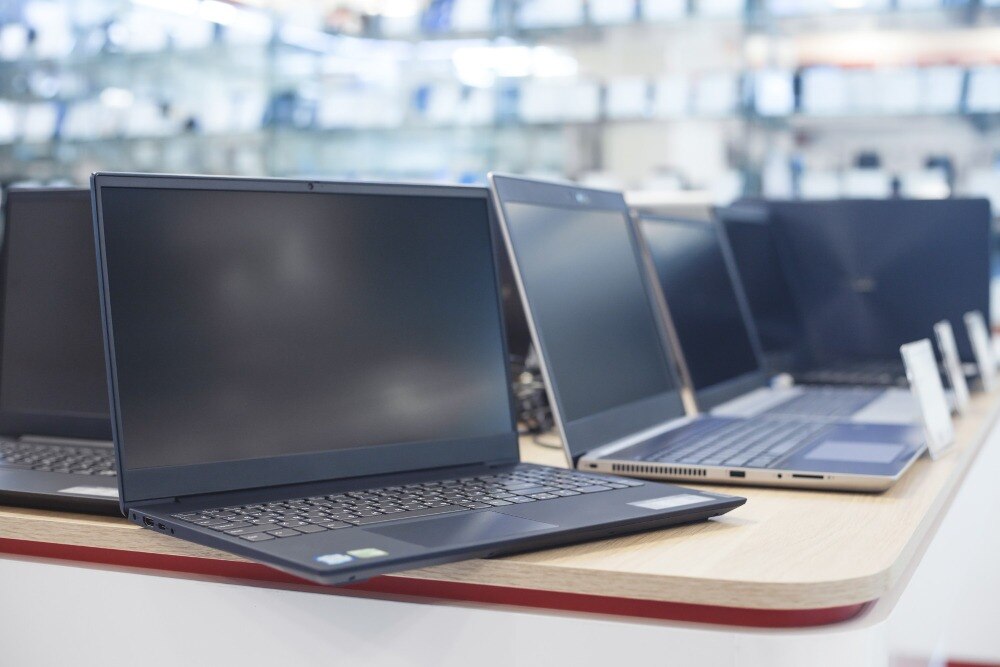
The cheaper-looking monthly rental is not always the lower-cost choice once GST, deposits, delivery, extensions, repairs and resale value are included. You will be able to calculate the break-even point, match a Lenovo configuration to your workload, inspect the machine, and compare a quotation with buying or other temporary options.
Key takeaways
- Rent for days or short projects; compare total ownership cost beyond one month.
- Add deposit, delivery, accessories, support and damage charges to rental calculations.
- Choose RAM, processor and storage for your workload—not the Lenovo series name.
- Request a factory reset and verify your data is removed before returning the laptop.
Rent or buy based on how long you will use the laptop
For a few days or a short project, renting usually wins: you avoid resale, repair and obsolete-hardware responsibilities. For one to three months, compare both options using the total paid, not the advertised monthly instalment.
| Use period | Usually practical choice | Main reason |
|---|---|---|
| Days to short project | Rent | Fast access, no resale or disposal task |
| One to three months | Compare both | Fees and deposits can reverse the result |
| Six months | Calculate break-even | Purchase may become cheaper all-in |
| Long-term daily use | Buy | Control and continuity outweigh rental flexibility |
Calculate rental cost as: monthly rent × paid months + non-refundable fees + GST + delivery or collection charges + unrecovered deposit or damage charges. Compare it with purchase price + GST + accessories + warranty extension + secure data-erasure cost − expected resale value.
Add the value of rapid replacement and avoided downtime; a cheap rental that leaves you waiting for a supplier can cost more than ownership.
For a Lenovo laptop rental or purchase in Delhi, renting is weaker for a permanent custom build, unrestricted administrator access or one heavily configured machine. An owner controls files, administrator access, configuration and the same device; a renter depends on stock and supplier response.
Also price a refurbished Lenovo, a borrowed device, a desktop rental and a lower-cost new laptop. For “rent or buy Lenovo laptop in Delhi”, remember that business depreciation and input tax credit depend on tax conditions; neither creates an automatic cash discount for an individual.
A six-month calculation should use actual quotations, including replacement terms, rather than assumptions.
Calculate the real Lenovo laptop rental cost in Delhi
A headline monthly rate is not the Lenovo laptop rental cost in Delhi. Indicative quotations often fall into these bands, but they are not fixed prices:
| Band | Indicative monthly rent | Typical description |
|---|---|---|
| Entry-level | ₹1,500–₹2,500 | Basic Lenovo machine |
| Business-class | ₹2,500–₹4,500 | Core i5 or Ryzen 5 |
| Higher-performance | ₹5,000 or more | Premium or demanding-work systems |
RAM, SSD capacity, processor generation, device age, rental term, quantity, delivery location and condition can move the quote between bands. A lenovo laptop hire in delhi quotation is useful only when it identifies the exact machine.
Ask for an itemised written quotation showing:
- Base rent, 18% GST or confirmation that GST is included, refundable security deposit, minimum term, delivery and pickup fees, installation, software setup and accessories.
- Extension rate, late-return charge, damage-assessment method, loss liability, and repair or replacement commitment.
- Whether the price changes for a few days, one month, three months or six months; whether a failed unit is replaced, within what time, and who pays for repair.
- Whether the laptop is new, refurbished or previously leased.
Compare total payment over your actual term, not headline monthly rates. Include non-refundable fees and any unrecovered deposit or damage charge. A GST-registered business should request a tax invoice and check Section 16 conditions before treating input tax credit as available.
Match the Lenovo configuration to the work, not the label
A temporary Lenovo laptop in Delhi should be matched to the software and workload, not the Core i5 or i7 badge alone.
| Work type | Practical specification | Upgrade or verify when |
|---|---|---|
| Office, email, browser work, basic accounting | 8 GB RAM, 256 GB SSD, Intel Core i5 | Choose 16 GB for large spreadsheets, many tabs or video meetings |
| Development | 16 GB RAM, 512 GB SSD, recent Core i5 or i7 | Choose an i7 for large builds, containers or virtual machines |
| Creative work | 16 GB RAM, 512 GB SSD, dedicated graphics | Confirm graphics memory, cooling and application compatibility |
| CAD, 3D or specialist software | 16 GB or more, dedicated GPU, current CPU | Match the certified software requirements, GPU and driver version |
Request these details in writing:
- Exact Lenovo model number and processor generation
- RAM, SSD capacity, screen size and resolution
- Windows edition and activation status
- Charger, webcam, microphone and battery condition
- Wi-Fi standard and available USB-A, USB-C, HDMI and headphone ports
An SSD improves responsiveness but does not prove that the laptop is new or suitable for demanding software. Pay for an i7 when compiling large projects, running virtual machines, editing media or using heavy professional applications; it adds little to light work on 8 GB RAM and a slow drive.
Check whether Microsoft 365 or Office is included. Windows activation does not provide an Office licence, and a trial may expire.
Finally, verify warranty dates, onsite or carry-in service, battery coverage, BIOS supervisor password, MDM enrolment and activation lock.
Inspect the handover and protect your data at return
1. Before accepting the Lenovo, photograph the serial number, model number, casing, screen and every existing mark. Match them with the handover record, record the battery condition, and keep copies of both. This evidence separates pre-existing damage from damage alleged at return.
2. Test every key, hinge, display area, charger and charging behaviour. Check the webcam, microphone, Wi-Fi connection, Bluetooth, every USB-A and USB-C port, HDMI port, headphone jack and available storage.
In Windows, verify RAM under Task Manager > Performance > Memory, storage under Settings > System > Storage, activation under Settings > System > Activation, and battery health with powercfg /batteryreport. Confirm charger compatibility and that no BIOS supervisor password, mobile-device-management enrolment or other management lock blocks your use.
3. During the rental, use encryption for sensitive files where appropriate. Before return, back up required work, sign out of Microsoft, Google, browser and cloud accounts, remove the laptop from account-management portals, delete saved credentials and stop synchronisation.
Agree in writing whether you or the provider will perform the wipe; deleting files or quick-formatting the drive does not equal every NIST SP 800-88 Rev. 1 clear, purge or destroy method.
4. Request written confirmation of a documented factory reset or secure wipe, and ask how previous-user data was removed. Obtain a return acknowledgement listing the serial number, accessories and condition. The agreement must state who bears responsibility for data loss, drive failure and alleged damage.
Arrange a Delhi rental that works beyond the quotation
A temporary Lenovo laptop in Delhi is usable only when the service terms cover the work around the machine. Ask about delivery, pickup, installation, operating-system updates, user-account creation, software configuration, data transfer, arrangement time and support hours.
- Confirm service at your exact address, not merely outside Raja Garden. Check building entry rules, lift access, parking and a fixed handover window.
- Test the supplied adapter on Delhi’s 230-volt, 50-hertz electrical supply. Arrange broadband or a hotspot separately; laptop hire does not include internet access.
- Request the exact model or minimum equivalent specification, all-in price, delivery area, support response time and replacement deadline in writing. A Lenovo laptop hire in Delhi can otherwise produce a similar-looking machine with weaker RAM, storage or battery health.
- For multiple units, record each serial number, battery health, warranty dates, assigned user and any BIOS password or MDM lock.
| Term | Confirm in writing | Why it matters |
|---|---|---|
| Rental administration | Rental period, extension price, late-return rule, deposit refund deadline and return acknowledgement | Prevents surprise charges |
| Damage and failure | Damage assessment, loss liability, repair responsibility and replacement time | Defines who pays when work stops |
| Data and disposal | Drive sanitisation between users and documented process; compliant recycler for irreparable equipment under India’s E-Waste (Management) Rules, 2022 | Protects data and establishes end-of-life responsibility |
Amage Infotech Systems belongs in your comparison only after it supplies these details, not because a listing names a model. Ask whether the device is new, refurbished or previously leased, and who carries responsibility for data loss.
Related items
Lenovo Laptopsnon Rent Lenovo Laptopsnon Rent ₹1700 Lenovo Laptops on Rent for Corporate Use at Amage Infotech Systems, Raja Garden, New Delhi At Amage Infotech Systems, located in Raja Garden, New... |
Lenovo Laptop On Rent Lenovo Laptops on Rent for Corporate Use at Amage Infotech Systems, Raja Garden, New Delhi At Amage Infotech Systems, located in Raja Garden, New... View product → |
Frequently asked questions
Should you rent or buy a Lenovo laptop for temporary work in Delhi?
Rent for a few days or a short project when resale, repairs and obsolescence make ownership inefficient. For one to three months, compare the total rental cost with the purchase price and resale value.
What is included in the Lenovo laptop rental cost in Delhi?
Check the quotation for the rental period, security deposit, delivery and pickup, charger, bag, software, technical support, taxes, late fees and damage charges.
How do I match a Lenovo laptop configuration to my work?
Choose the processor, RAM, storage, display and ports according to your applications. Office work needs differ from video editing, software development, data analysis and CAD.
What should I inspect when hiring a Lenovo laptop in Delhi?
Test the screen, keyboard, trackpad, webcam, microphone, Wi-Fi, ports, battery, charger and serial number. Record existing damage and confirm the return condition in writing.
How do I protect my data when returning a temporary Lenovo laptop?
Back up your files, sign out of every account, remove saved passwords, delete local data and request a documented factory reset before handover.
Related product
Intel i7 Lenovo Laptop Rental Service Intel i7 Lenovo Laptop Rental Service Intel i7 Lenovo Laptop Rental Service for Corporate Use at Amage Infotech Systems, Raja Garden, New Delhi At Amage Infotech Systems, located in Raja... View product → |
Keywords