Choose the laptop around how you will carry, view and use it, not around the HP badge or screen-size number alone. By comparing portability, keyboard space, display resolution, performance and rental conditions, you can request a configuration that fits your work instead of accepting an unsuitable machine.
Key takeaways
- Choose 13-inch or 14-inch models for frequent travel and carrying comfort.
- Pick 15.6 inches when spreadsheets, split-screen work and viewing space matter most.
- Check processor, RAM, storage and ports separately from the laptop’s screen size.
- Compare deposits, replacement charges, accessories, support and rental duration before booking.
Match the laptop size to where you work
A 14-inch HP laptop fits most mixed work patterns: it is easier to carry between home, office, trains and client sites while leaving enough room for documents, browser tabs and video calls. Choose 13-inch or 14-inch models when carrying comfort matters more than maximum screen area.
| Size | Best fit | Main trade-off |
|---|---|---|
| 13–14 inches | Commuting professionals, students, event teams and mobile client work | Smaller workspace and keyboard area |
| 14 inches | Remote workers and general office users who move between locations | Less spreadsheet room than a 15.6-inch model |
| 15.6 inches | Desk-based staff, accounting users and presentation-heavy work | More weight and less comfortable daily carrying |
| 15.6 inches or larger workstation | CAD, 3D work, local data processing and video production | Bulkier design, higher power needs and greater rental cost |
A 15.6-inch laptop is not automatically faster; physical size does not identify the processor, memory or graphics hardware. A Core i5 office machine also cannot replace a workstation with a professional GPU for CAD or 3D applications.
For fixed desk work, a 14-inch or 15.6-inch laptop with an external monitor can be more comfortable than choosing a larger laptop solely for screen space. Ask for a Full HD display, 1,920 × 1,080, rather than assuming every large panel has enough resolution.
To decide which HP laptop rental is best for me, compare the published weight, dimensions, display resolution and battery condition across the HP laptop rental options.
Choose between a compact 14-inch model and a 15.6-inch workspace
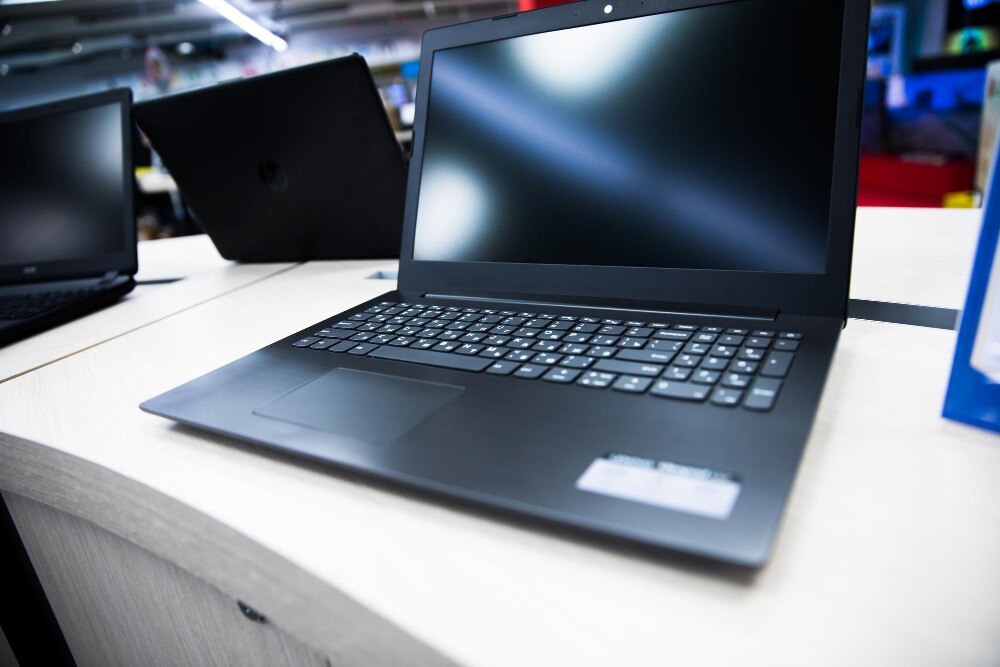
A 13–14-inch HP laptop is better when you carry it between home, trains, classrooms, client sites or event venues. Its smaller footprint and lower weight reduce shoulder strain, while a 14-inch chassis still provides a practical keyboard and enough room for documents, browser tabs and video calls.
| Work pattern | Better choice | Why |
|---|---|---|
| Daily commuting or client visits | 13–14 inches | Easier to carry and use in confined spaces |
| Mixed office and travel | 14 inches | Balances portability, keyboard comfort and screen area |
| Desk-based spreadsheets | 15.6 inches | Offers more workspace and often includes a numeric keypad |
| Presentations or event work | 13–14 inches | Simplifies transport between rooms and venues |
A 15.6-inch HP laptop earns its extra space when it stays on a desk, particularly for wide spreadsheets, side-by-side documents or frequent numeric-keypad entry. The larger display is easier to view for long sessions, but its greater size and weight make commuting less convenient.
For mixed office work, choose 14 inches if you divide your time between a desk and travel. If you need more screen space at a fixed workstation, connect the smaller laptop to an external monitor instead of carrying a larger one every day.
Do not assume 15.6 inches means faster hardware. Compare the published weight, battery full-charge capacity and keyboard layout; a heavy configuration can turn a convenient mobile rental into a burden.
Check performance separately from physical size
A 15.6-inch chassis is not automatically faster than a 14-inch one. Screen size, processor, memory and storage are separate decisions, so do not approve an HP i5 laptop on rent from the “i5” label alone.
Match the configuration to your workload:
- Office work: Choose a recent Core i5, 16 GB RAM and an SSD. Eight GB handles light documents, but browser tabs, spreadsheets, video calls and accounting software can exhaust it quickly.
- Meetings and presentations: Require a 1,920 × 1,080 display, 720p webcam or better, working microphone, reliable Wi-Fi and the ports your venue needs. USB-C does not guarantee charging, display output or Thunderbolt; verify HDMI, USB-A, USB-C and audio connections.
- Coding: Ask for the exact processor model or generation, not simply “Core i5.” An Intel Core i5-10210U has 4 cores and 8 threads, while an i5-1235U has 10 cores and 12 threads. Choose 16 GB RAM and an SSD if you will run an IDE, browser, local database or virtual machine together.
- Creative work: For Photoshop, video editing, CAD or 3D, check the dedicated GPU, GPU memory, RAM and SSD capacity. A standard office i5 configuration is not a workstation substitute.
For an HP laptop rental for work, also confirm battery health, charger, Windows version and whether RAM is upgradeable. Thin models often have soldered memory, so the supplied configuration matters.
Use a booking checklist before accepting the laptop
Do not accept the handover until the quoted configuration matches the work you booked it for. “Intel Core i5” is incomplete without the processor generation, RAM, storage type and operating-system version.
| Check | Accept | Reject or query |
|---|---|---|
| Processor and memory | Named Intel generation or AMD model, with 16 GB RAM for multitasking | “Core i5” alone, or 8 GB for video calls, spreadsheets and many browser tabs |
| Storage | SSD with the stated capacity | Unspecified drive or mechanical hard disk |
| Display | Resolution, brightness and screen size recorded | Screen damaged, flickering or lower resolution than promised |
| Battery | Health or full-charge capacity supplied; charging and unplugged use tested | Battery percentage only, rapid drain or charging failure |
| Connectivity | Working Wi-Fi, webcam, microphone, HDMI, USB-A, USB-C and audio jack | USB-C assumed to support charging, video or Thunderbolt without confirmation |
- Ask for the correct AC charger and test that it charges while the laptop is running. Include a compatible dock, HDMI adapter or Ethernet adapter if your presentation or office setup needs one.
- Confirm the carrying case, power cable, webcam privacy shutter and any requested mouse or external keyboard are included.
- Wake the laptop from sleep, reconnect to Wi-Fi, open a video call and test the required ports before signing acceptance.
- Record the serial number, visible marks and battery reading on the handover document. Ask how quickly a faulty unit will be replaced.
Compare the full rental conditions, not only the advertised rate
A low advertised rate can become expensive once delivery, deposit and damage terms are added. For an HP laptop rental in Delhi, request the complete quote in writing and compare the conditions line by line.
| Item | Confirm before booking | Why it changes cost |
|---|---|---|
| Delivery and return | Delivery, collection, GST invoice and carrying case included | Separate transport fees can exceed a small rate difference |
| Equipment supplied | Exact HP model, processor generation, RAM, SSD, charger and screen size | “HP i5” does not identify performance; an i5-10210U differs greatly from an i5-1235U |
| Security and damage | Deposit amount, acceptable wear, damage assessment and replacement charge | Scratches, cracked hinges or missing accessories can trigger deductions |
| Support and replacement | Response time, faulty-device replacement and downtime handling | A cheap rental is poor value if a failed laptop stops your work |
| Return and data | Late-return fee and certified data wiping after collection | Your files and final invoice both need protection |
Amage Infotech Systems is one provider to ask for these terms before comparing its quote with another Delhi supplier; do not rely on a verbal assurance.
Also confirm Windows 11 activation, battery full-charge capacity and the test process. At handover, charge the laptop, check sleep and wake behaviour, test unplugged use, inspect every port and verify the webcam, Wi-Fi and HDMI. Get the agreed condition recorded with photographs.
Related products
Laptop Rental Service Hp Probook 840 G2 On Rent at Amage Infotech Systems Affordable, Reliable, and High-Performance Laptops for Your Business and Personal Needs About Us Located in Ramesh Nagar,... |
Laptop Rental Service at Amage Infotech Systems Your Reliable Partner for Laptop Rentals in New Delhi About Us At Amage Infotech Systems, located in Ramesh Nagar, New... View product → |
Frequently asked questions
Which HP laptop size works best for frequent travel?
Choose a 13-inch or 14-inch HP laptop when you carry it between home, offices, trains or client sites.
When is a 15.6-inch HP laptop better than a 14-inch model?
Choose a 15.6-inch model when you need more room for spreadsheets, split-screen work, documents or extended desk use.
Does laptop size determine performance?
No. Check the processor, RAM, SSD storage, graphics, ports and battery condition separately from screen size.
What should you check before accepting an HP laptop rental?
Confirm the model, screen size, processor, RAM, storage, charger, ports, battery condition, operating system and visible damage.
Which rental terms should you compare beyond the advertised rate?
Compare the deposit, rental period, extension rules, delivery charges, maintenance support, damage liability, replacement fees and included accessories.
Related items
Intel i5 Hp Laptop Rental Service Intel i5 Hp Laptop Rental Service Intel i5 HP Laptop Rental Service for Corporate Use at Amage Infotech Systems, Raja Garden, New Delhi At Amage Infotech Systems, located in Raja... View product → |
 | Intel i5 Hp Laptop Rental Service 1 Intel i5 Hp Laptop Rental Service 1 ₹1400 Intel i5 HP Laptop Rental Service for Corporate Use at Amage Infotech Systems, Raja Garden, New Delhi At Amage Infotech Systems, located in Raja... View service → |
Laptop Rental Service Hp Probook 450 on rent Laptop Rental Services at Amage Infotech Systems - Rajouri Garden Looking for a reliable laptop rental service in Rajouri Garden? Look no further!... |
Keywords