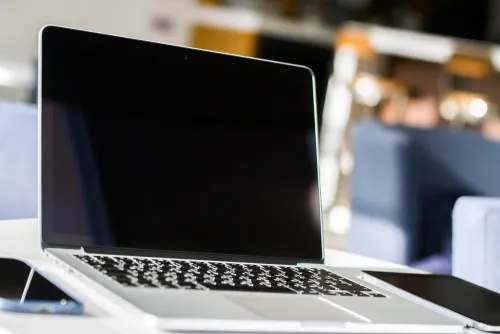
A MacBook Pro rental quote is incomplete without the exact generation, chip, memory, storage, battery condition, ports, charger, and software version. By the end, you will be able to compare models, match one to your workload, inspect it at delivery, connect it to Delhi office or event equipment, and hand it back without leaving business data behind.
Key takeaways
- Request the exact chip, RAM, storage, screen size and model year.
- Check external-display limits before booking Apple silicon or Intel models.
- Test the charger, ports, battery health, keyboard and display on delivery.
- Agree on user accounts, device management and return procedures before handover.
MacBook Pro generations and specifications to compare before booking
A quotation for an Apple MacBook Pro rental for specifications in Delhi must identify the exact model, not merely the screen size. Base, Pro, and Max chips are different rental specifications even when both machines have a 14-inch display.
| Generation and size | Display and camera | Performance, battery and ports |
|---|---|---|
| Intel 13-inch | Retina, 2560×1600, 60Hz, 720p webcam | Quote Intel CPU/GPU cores, RAM, SSD, exact Wh rating, weight, macOS, two or four Thunderbolt 3/USB-C ports; no MagSafe 3, HDMI or SDXC |
| Intel 16-inch | Retina, 3072×1920, 60Hz, 720p webcam | Quote Intel cores, RAM, SSD, 96Wh battery, weight, macOS, four Thunderbolt 3 ports and SDXC; no MagSafe 3 or HDMI |
| M1 or M2 13-inch | Retina, 2560×1600, 60Hz, 720p webcam | Quote CPU/GPU cores, unified memory, SSD, battery Wh, weight and macOS; two Thunderbolt/USB-C ports, no MagSafe 3, HDMI or SDXC |
| M1/M2/M3 14-inch | Liquid Retina XDR, 3024×1964, ProMotion up to 120Hz, 1080p webcam | Quote base/Pro/Max cores, memory, SSD, battery Wh, weight, macOS; MagSafe 3, HDMI, SDXC and two or three Thunderbolt ports |
| M1/M2/M3/M4 or newer 16-inch | Liquid Retina XDR, 3456×2234, up to 120Hz, 1080p webcam | Quote the same fields; usually MagSafe 3, HDMI, SDXC and three Thunderbolt ports |
Every line must also state keyboard layout, battery cycle count, maximum capacity, charger wattage, and every supplied cable, adapter or dock.
Match the MacBook Pro to your workload and working space
Microsoft Office, presentations, event registration, and browser-heavy work rarely need a high-end chip. Choose 8GB for one user running documents, email, registration software, and a few browser tabs; choose 16GB when many tabs, video calls, spreadsheets, or external displays stay open.
| Workload | Practical MacBook Pro fit | Memory guidance |
|---|---|---|
| Microsoft Office, presentations | 13-inch or 14-inch, base chip | 8GB works; 16GB suits heavy multitasking |
| Event registration desk | 13-inch for a tight counter; 14-inch for easier viewing | 8GB is sufficient |
| Software development | 14-inch with a Pro chip for builds and multiple windows | 16GB baseline; 32GB for containers or virtual machines |
| Xcode | 14-inch or 16-inch with a Pro chip | 16GB for normal projects; 32GB for simulators and parallel builds |
| Adobe Creative Cloud | 14-inch Pro chip for mixed Photoshop, Illustrator, and Lightroom work | 16GB baseline; 32GB for several applications |
| Final Cut Pro | 14-inch Pro chip for mobile editing; 16-inch Pro or Max for sustained rendering | 32GB prevents timeline slowdowns |
| Data analysis | 14-inch for ordinary datasets | 16GB; 32GB or more for large datasets |
A 13-inch model occupies less desk space and travels easily. The 14-inch balances workspace and performance. Choose 16-inch for long editing sessions, sustained rendering, or coding across multiple windows; its larger display improves timeline and spreadsheet viewing, but adds weight, a larger charger, and desk-space demands.
The lightest machine is not automatically best for a fixed office, production desk, or registration counter.
Apple silicon, Intel compatibility, and external-display planning
Choose Apple silicon for current macOS work, battery efficiency, and sustained performance; choose Intel when your workflow depends on older extensions, drivers, peripherals, or Windows software.
| Model | macOS and compatibility | Choose when |
|---|---|---|
| Intel MacBook Pro | Older macOS support; Boot Camp can install Windows natively | You need legacy drivers, kernel extensions, or Windows-only software |
| Apple silicon MacBook Pro | Current macOS; Rosetta 2 translates many Intel applications | You use modern software and supported peripherals |
| Apple silicon with exceptions | Kernel extensions, virtualization tools, and older drivers need architecture testing | Your workflow includes specialist hardware or virtual machines |
Rosetta 2 does not guarantee that every Intel application works. Test kernel extensions, printer or scanner drivers, virtualization, security tools, and legacy peripherals on the exact macOS version before delivery. Intel Macs support Boot Camp; Apple-silicon Macs require a separate Windows compatibility test, not an assumption of native support.
For macbook pro hire specifications in delhi, require this display checklist:
- Record the exact chip and model identifier.
- Count the monitors you need.
- Confirm each monitor’s resolution and refresh rate.
- Test the complete HDMI, DisplayPort, USB-C, Thunderbolt, or dock arrangement.
- Verify power delivery, adapters, cables, and any required drivers.
“Dual-monitor support” is incomplete: external-display limits vary by chip, model, port, and connection method. Test the actual monitors before dispatch.
What to request and inspect before accepting the rental
Request these details in writing before delivery:
1. Model identifier, screen size, chip, RAM, SSD capacity, macOS version, serial number for verification, battery cycle count, Battery Health maximum capacity, charger wattage, keyboard layout, and every included item: USB-C or Thunderbolt cable, display adapter, hub, case, and dongles.
2. At handover, boot the Mac and confirm Activation Lock is absent, Find My Mac is disabled, iCloud and the previous Apple Account are signed out, and no old browser profiles, VPN credentials, saved Wi-Fi passwords, or user files remain. Check administrator access, FileVault status, and creation of a separate temporary account.
3. Test every function you need: each key and the trackpad, display pixels and brightness, webcam, microphones, speakers, Wi-Fi, Bluetooth, every port, charging through the supplied adapter, and every supplied adapter. Connect the actual projector, monitor, printer, scanner, and network used for your booking, then verify the required resolution, printing, scanning, or data connection.
A cosmetic inspection proves neither battery condition nor performance. A charger that fits proves only physical compatibility; it does not confirm the correct wattage, charging behaviour, battery capacity, or sustained performance.
Apple laptop rental setup for offices, teams, and Delhi venues
An Apple laptop rental setup should end with a documented, working configuration—not merely a MacBook that powers on. Follow this sequence after delivery:
- Photograph the MacBook, charger, cables, adapters, and case; record the serial number against the handover sheet.
- Install approved macOS updates, then restart and confirm the installed version.
- Create a separate standard or managed user account, set permissions, and retain administrator access only where authorised.
- Install only agreed applications and sign in to Microsoft 365 with the assigned business account.
- Create browser profiles for each team or role, then configure and test the corporate VPN.
- Verify free SSD storage before copying project files.
- Confirm whether the kit includes a USB-C hub, Thunderbolt dock, HDMI or DisplayPort adapter, Ethernet adapter, USB-C cable, printer cable, and card reader.
- Connect printers and scanners. Test AirPrint separately from devices needing vendor drivers, print accounting, secure release, or scan software.
- At a Delhi venue, test unstable Wi-Fi with wired Ethernet where possible and verify the supplied Apple power adapter, extension lead, or UPS arrangement.
- Connect the required display and run a real print, scan, login, and video call test.
- Run a backup to the approved destination before work begins.
For macbook pro rental support in delhi, Amage Infotech Systems should identify remote troubleshooting, onsite replacement, delivery inspection, adapter inclusion, and escalation routes for charging, overheating, display, or connectivity faults in its quotation.
Related product
Apple Laptop Mac Book Pro Rental Service Apple Laptop Mac Book Pro Rental Service Apple MacBook Pro Rental Service at Amage Infotech Systems Premium Laptop Solutions for Business and Personal Use About Us Located in Ramesh Nagar,... View product → |
Management, security, and return controls for rented Macs
| Access level | Control | Use |
|---|---|---|
| Temporary standard account | Blocks system changes and unapproved installations | Daily rental work |
| Administrator access | Can install software, alter security settings, and create accounts | Authorised IT staff only |
Do not save shared credentials in browsers, and do not leave personal Apple Account, iCloud, Find My, browser, VPN, or Wi-Fi data on the Mac. Personal sessions can expose the next user to mail, files, and saved passwords.
For corporate deployments, Apple Business Manager paired with mobile-device management can use Automated Device Enrollment to apply Wi-Fi, certificates, restrictions, approved applications, and security settings. Before permanent reassignment, the owner must release the Mac from organizational management; erasing the drive alone does not always remove remote management.
At return, complete and sign a handover record:
- Record the serial number and every supplied accessory.
- Back up approved business data only.
- Sign out of Apple Account and Find My; remove VPN and browser profiles.
- Perform and document an erase or sanitisation procedure.
Deleting a user folder is not proof that the next renter will receive a clean device.
Frequently asked questions
Which MacBook Pro specifications should you compare before booking in Delhi?
Compare the exact generation, chip, RAM, storage, screen size, ports, battery condition and external-display support.
How do you match a MacBook Pro to your workload and workspace?
Choose based on application demands, sustained performance, portability, desk space, display needs and available power outlets.
What should you check when accepting a rented MacBook Pro?
Inspect the serial number, charger, ports, display, keyboard, battery health, storage, operating system and physical condition.
What should an Apple laptop rental setup include for offices and events?
Plan user accounts, Wi-Fi access, required applications, chargers, adapters, external displays, security controls and on-site support.
How should rented Macs be managed and returned securely?
Use separate user accounts, approved device management, encrypted storage, backup procedures and a documented account-removal checklist.
Keywords