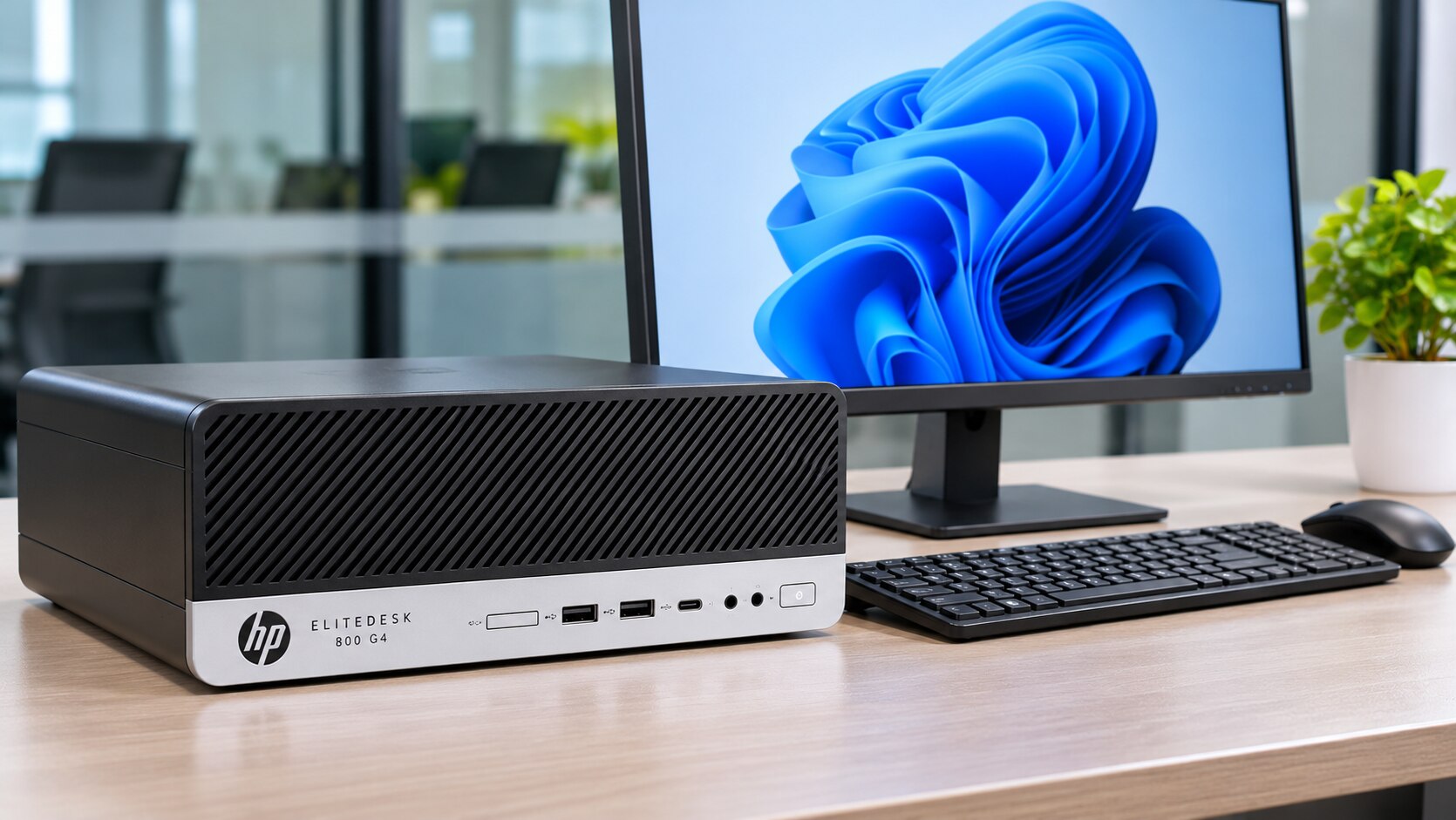
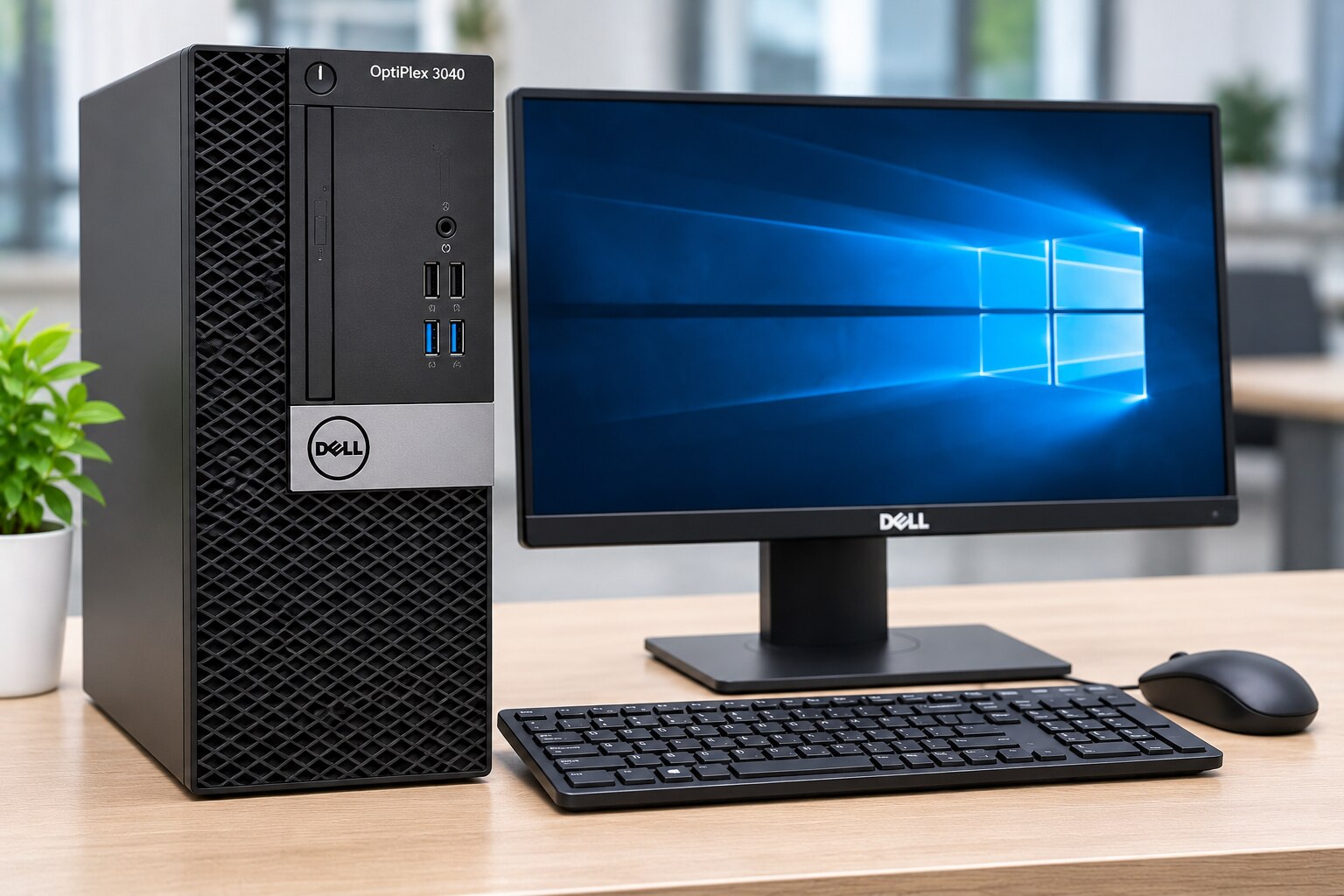
The OptiPlex 3040 Micro can handle many classroom tasks, but the model name alone does not tell you whether a supplied unit has enough memory, fast storage, the right display ports or a supported operating system. By checking the hardware, classroom connections, course workload and rental-test conditions, you can decide whether it fits your centre or whether you need newer or more powerful machines.
Key takeaways
- Choose a unit with at least 8 GB RAM and an SSD.
- Verify the processor, storage health, video outputs and Windows licence.
- Use it for office, coding and browser training, not demanding 3D graphics.
- Put replacement time, accessories, software and damage terms in writing.
Which training-centre tasks can the OptiPlex 3040 handle?
Yes, the OptiPlex 3040 Micro is fast enough for standard training-centre work when it has at least 8 GB RAM and an SSD. It uses sixth-generation Intel desktop processors, with configurations ranging from Pentium and Celeron to Core i3, i5 and i7. Two computers carrying the same model name can therefore perform very differently.
Suitable workloads include:
- Microsoft Word, Excel and PowerPoint
- Web-based learning platforms and online assessments
- Typing practice and accounting software
- Basic coding, including an IDE and small projects
- Video playback and thin-client applications
| Configuration | Suitable use | Limitation |
|---|---|---|
| 8 GB RAM + SSD | Office, web learning, typing, accounting and assessments | Slowdown with many simultaneous applications |
| 16 GB RAM + SSD | Multiple tabs, an IDE, local database and office software | Best choice for browser-heavy coding classes |
| Any RAM + 2.5-inch SATA hard drive | Basic use after boot | Longer starts, launches and file loading |
An SSD reduces boot and application-launch delays compared with an older 2.5-inch SATA hard drive. For a practical classroom test, open a video lesson, assessment portal, 10 to 15 browser tabs, a document and the required teaching application. Check for delayed input, video pauses and sustained disk activity.
A fleet with mixed processor, RAM and storage configurations will produce uneven learner experiences. For a search such as “dell tiny computer rental for training in delhi,” verify the exact configuration rather than accepting the model label alone.
What hardware must you verify before accepting a unit?
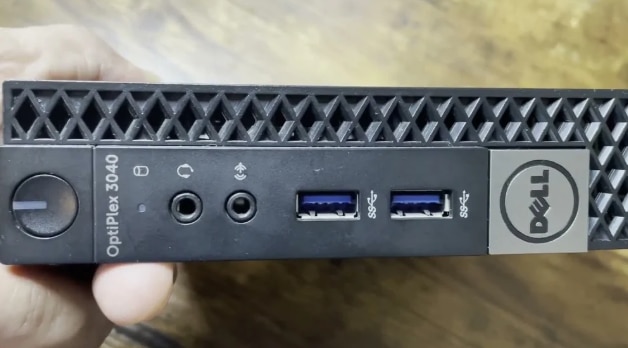
The word “Tiny” is not a specification. Dell calls this chassis the OptiPlex 3040 Micro, while rental listings often call it Tiny, so require the service tag to confirm the identity of every unit or batch.
| Quotation item | Record exactly | Why it matters |
|---|---|---|
| Dell identity | Model designation and service tag | Prevents a different chassis being supplied |
| Performance | Processor model, RAM and storage type/capacity | Same 3040 name can hide major speed differences |
| Software | Operating-system version and BIOS status | Reveals compatibility and locked firmware |
| Memory | 4 GB, 8 GB or 16 GB DDR3L SO-DIMM | 8 GB is the classroom minimum; 16 GB suits browser-heavy or coding courses |
| Storage | SSD model, capacity and health | Require an SSD; do not assume one is installed |
For an optiplex 3040 hire for classrooms in delhi quotation, inspect the actual rear panel rather than trusting a catalogue image. Confirm HDMI, DisplayPort, the number of USB ports, the Ethernet socket and the external low-wattage power adapter.
Ask whether Wi-Fi and Bluetooth are installed; wireless networking depends on the fitted WLAN card. Wired Ethernet remains the safer classroom default.
Accept the unit only after checking:
- SSD health, fan noise and sustained disk activity during a burn-in test
- Every USB port, Ethernet negotiation and both display outputs
- BIOS-password status, memory detection and the supplied keyboard, mouse and adapters
A missing port, locked BIOS or noisy, degraded drive can disrupt a full class even when the computer still boots.
Will it connect to classroom screens, networks and accessories?
Supported OptiPlex 3040 Micro configurations can serve a complete classroom, driving two displays through DisplayPort and HDMI. Inspect the supplied unit rather than trusting catalogue specifications, because rental machines can differ in ports and accessories.
Choose a DisplayPort-to-HDMI adapter for a newer monitor or television, or a DisplayPort-to-VGA adapter for an older projector. Ask the supplier to test the trainer’s screen, projector and dual-monitor arrangement at the required resolution, using both mirror and extended-desktop modes. A port that shows an image at low resolution is not enough.
Use wired Gigabit Ethernet as the safer default for predictable system imaging, software downloads and classroom administration. Confirm Wi-Fi as an installed WLAN feature; the 3040 model name does not guarantee it.
Arrange these items for every student station:
- Monitor
- Keyboard
- Mouse
- External power cable and low-wattage adapter
- Surge protection or UPS
- Headphones
- DisplayPort-to-HDMI or DisplayPort-to-VGA adapters, as required
The external adapter and compact chassis suit desk-mounted or monitor-mounted layouts, but blocked vents, enclosed boxes and dust can cause overheating, throttling and fan noise. Keep the unit’s ventilation openings clear.
Require a burn-in test under classroom load, including video playback, browser activity, network access and both display outputs. Keep tested spare units available; one failed desktop should not stop a practical session.
Is it suitable for graphics courses, and how does it compare with laptops?
The OptiPlex 3040 Micro is suitable for office, accounting, web learning, basic programming and thin-client instruction, but it is a weak classroom computer for GPU-accelerated CAD, 3D modelling, modern video editing, local virtual machines, large data-science environments and recent games.
Its older low-power platform and integrated graphics do not replace a machine with a discrete graphics card.
For a fixed-seat lab, the trade-off against laptops is straightforward:
| Option | Advantage | Limitation |
|---|---|---|
| OptiPlex 3040 Micro | Easier to standardise and less tempting to remove from a desk | Requires a monitor, keyboard, mouse and power connection; cannot move easily between rooms |
| Laptop | Includes the display, keyboard, pointing device and battery for brief power interruptions | Costs more to secure and standardise across a permanent classroom |
| Desktop with discrete GPU | Handles demanding CAD, 3D and video workloads | Needs more space, power and stronger theft controls |
The Micro’s limited internal expansion also rules it out when learners need multiple add-in cards, several internal drives or a full-height optical drive. Choose a tower or suitable workstation instead.
For laptop-versus-desktop decisions, compare these factors before processor labels:
- Course software and whether it requires a discrete GPU
- Room layout and the need to move equipment
- Battery-backup plan for short power cuts
- Theft controls for desks, rooms and charging areas
A laptop is more practical for rotating classrooms, mobile instruction or power interruptions. The Micro is the better fit for a permanent, standardised lab running light applications.
What should a Delhi training centre put in the rental contract?
Put the exact configuration in writing before paying for a Dell OptiPlex 3040 Tiny hire for training centres in Delhi. The model name alone does not guarantee matching classroom performance.
1. Record the processor model, 8 GB or 16 GB RAM, SSD type and capacity, Wi-Fi status, video adapters, keyboard, mouse, operating-system image, number of tested spare units and replacement response time in the quotation.
2. Require a pre-delivery demonstration with your projector, LAN, learning platform, assessment portal and course software. Test both video outputs, every USB port, Ethernet speed, fan noise, SSD health, memory detection and BIOS-password status. Confirm whether the supplied chassis is the OptiPlex 3040 Micro and record each service tag.
3. Treat Windows compatibility as a contract issue. Sixth-generation Intel processors are absent from Microsoft’s supported Windows 11 processor lists, while Windows 10 Home and Pro reached normal end of support on 14 October 2025. Choose an eligible newer computer, an organisation-managed extended-support arrangement where applicable, or a supported Linux image.
An unsupported Windows 11 workaround is a poor fleet basis.
Amage Infotech Systems can be compared with other Delhi suppliers when it provides these specifications, tests and replacement terms in writing. The decision is yes for standard office and web classrooms, no for GPU-heavy courses, and conditional on the exact configuration.
A small office computer rental in Delhi is dependable only when the contract controls those details.
Related product
 | Laptop Rental Service Dell Optiflex 3040 Tiny Hire On Rent Dell OptiPlex 3040 Tiny on Rent / Hire Need a compact yet powerful desktop solution on rent? Our Dell OptiPlex 3040 Tiny on Hire is the perfect... View product → |
Frequently asked questions
Which training-centre tasks can the OptiPlex 3040 handle?
A unit with at least 8 GB RAM and an SSD handles web browsing, Microsoft Office, PDF work, video lessons, basic coding and classroom administration. Performance depends on the installed Pentium, Celeron, Core i3, Core i5 or Core i7 processor.
What hardware must you verify before accepting an OptiPlex 3040 unit?
Check the exact processor, RAM capacity, SSD or hard-drive type, storage health, operating-system licence, power adapter, USB ports, display outputs and physical condition before deployment.
Will the OptiPlex 3040 connect to classroom screens, networks and accessories?
Check whether the unit has the video output required by your monitor or projector, plus working Ethernet, Wi-Fi if included, USB ports and audio connections. Carry the correct DisplayPort, HDMI or VGA adapter when needed.
Is the OptiPlex 3040 suitable for graphics courses?
It suits basic image editing and introductory design work when software requirements are modest. Its compact integrated-graphics configuration is a poor fit for advanced 3D modelling, video production or GPU-intensive training.
What should a Delhi training centre put in the rental contract?
Specify the exact configuration, quantity, rental period, delivery and pickup dates, included accessories, installed software, technical-support response time, replacement terms, damage liability, deposits, power requirements and data-wiping process.
Keywords